I am always on the lookout for a new Desktop email app to manage all my emails. Lately, I started experimenting with the Hey Email app. Actually, Hey Mail is more than an App, it is an email system. Hey Mail has been around for a long time. It is a closed system. You cannot take the settings for your Hey email account and put them in an email App on your computer. Hey has their email application which contains all kinds of features. It works on macOS, Windows, iOS, and Android OS.
Here is the main window of their App:
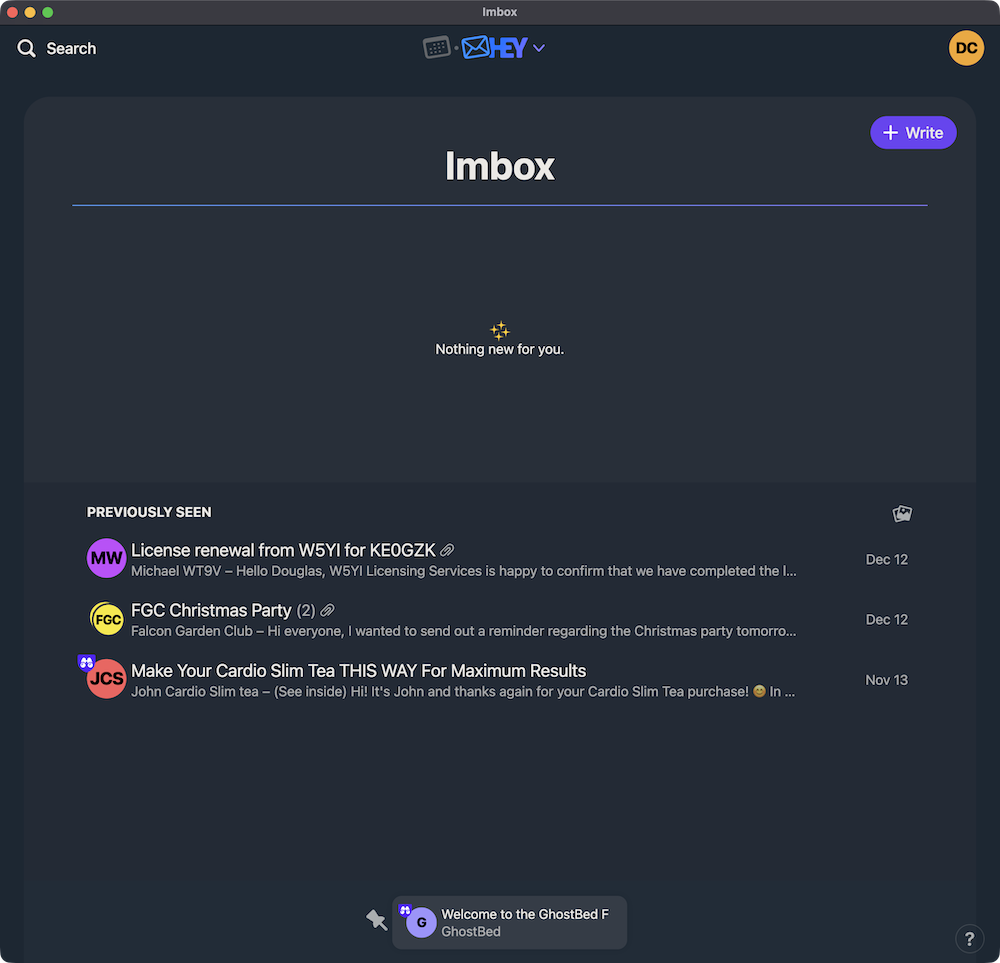
It is really a neat App. This screenshot will help you understand the Hey Mail workflow a little better.
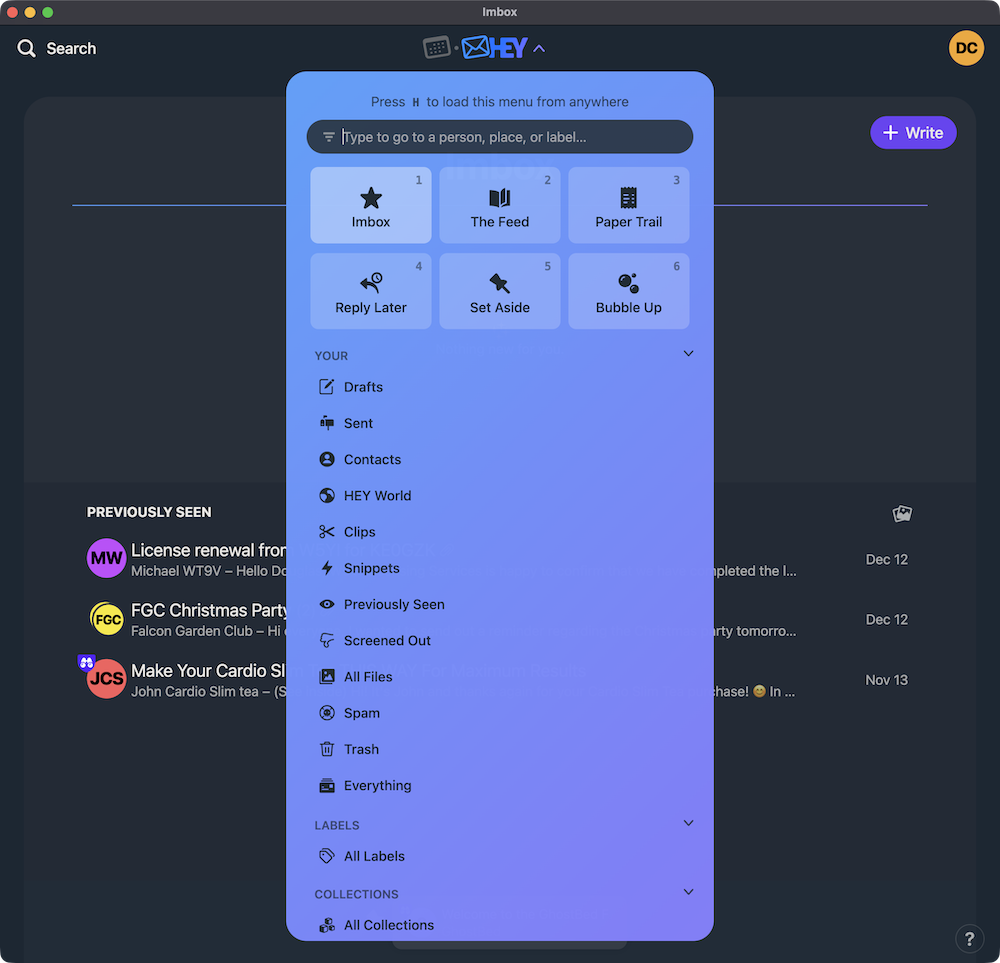
When you click on the Hey button at the top of the window, it drops this menu. The main items that I use are “The Feed”, “Paper Trail”, “Set Aside” and “Bubble Up”. “The Feed” is where you would store newsletters and ads. “Paper Trail” is for receipts and paperwork you need to keep for a while or indefinitely. “Set Aside” is for email you do not wish to interact with right now, but need to take care of eventually. “Bubble Up” is basically a snooze feature. There are many other things you can do, as seen in the Hey Menu above, but these are the ones that I use the most.
When an email arrives in Hey Mail, you have to classify it. If you give it a “thumbs up” the program then asks you to classify it. If the email is from a person, it is a#1. If it is a newsletter type email, it is a #2. A receipt or some type of paperwork you need to keep, it is a #3. When you open the Hey app, you can check these three categories by just typing a 1, 2, or 3. The App switches to any email that is in that category. The App remembers your classifications. When future classified emails arrive, they are slotted into those categories automatically. If it is something new, you have to classify it. This is a straightforward system for blocking unwanted emails. If you give it a thumbs down, then Hey blocks it for good.
There are all kinds of other email screening features in Hey Mail. It is a super powerful system for managing lots of email. If you are a light email user, it would not be for you. However, if you manage a fairly large amount of email, I highly recommend it. The only downside to Hey Mail is it is not free. For all these features with tons of storage, you have to pay $99 a year. I do that because I think it is a fun and reasonably secure system. You would have to be serious about email management to pay $99, but it might be worth it to you. Many people do use the Hey Mail system.
I still have other emails outside of Hey Mail, but I use it for fun just the same. I am not sure if I want to switch all my email over to their system, but time will tell. Here is a link to a feature page on the Hey website for further information. It is a very sophisticated system. Take a look at their website in general, there are tons of information there. The FAQ page is especially helpful. 1
Doug
- After using Hey for a month or so, I decided it did not work for me. I have too many folders that I am using so I switched back to a traditional email App. ↩