The debate is over. I used the Macally Bluetooth keyboard with blue switches for a while. I just cannot get over the small, cramped size. My fingers are used to a full-size keyboard with 104 keys.
Enter the Logitech MX Mechanical keyboard. This is a low profile, mechanical keyboard. The keyboard has backlit keys with blue switches. It connects to the Logi Options+ Logitech software for set up. The set-up was easy and informative.
You can connect the keyboard via USB, but I prefer to use the Bluetooth setting. The fewer cords, the better. So far, the connection has been seamless with no problems.
I am typing this article on it. I really like the way it feels, blue switches are very nice. There are legs that can be adjusted to add height and angle to the keyboard. I am using the middle height setting, which is similar to all my other mechanical keyboards. Here is a photo of the keyboard.
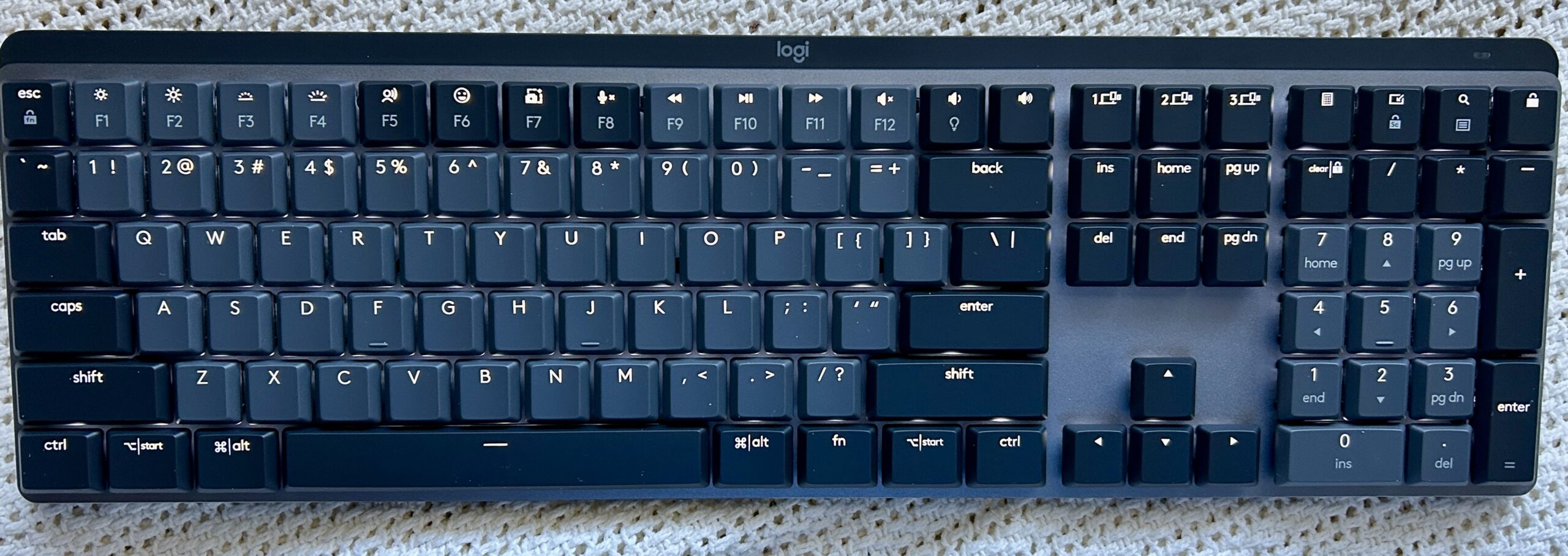
The backlit keys light up when you move your hands to the keyboard. When you are not typing, the light goes off to save battery life.
You can connect the MX Mechanical to three devices using Bluetooth. I plan to use it exclusively for the iMac. I have other keyboards for some of my other devices.
There are numerous settings and key combinations for this keyboard, which I have not explored yet. I may report later on what some of them do.
This keyboard is expensive, but if you like mechanical key switches with wireless capability, it is worth the price.
Doug